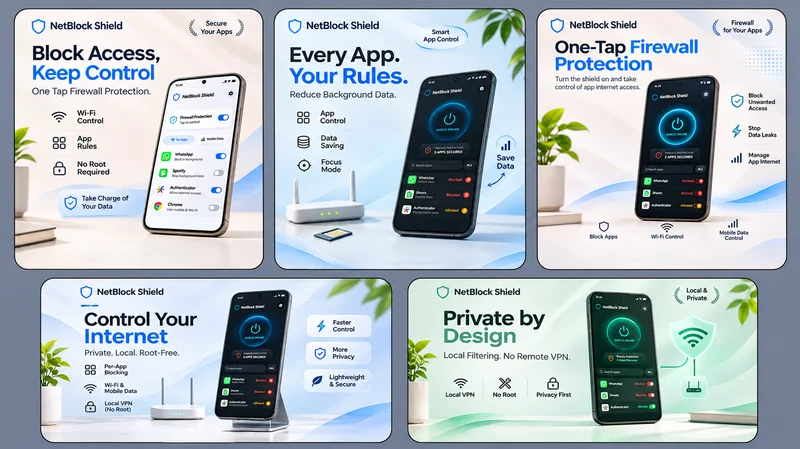
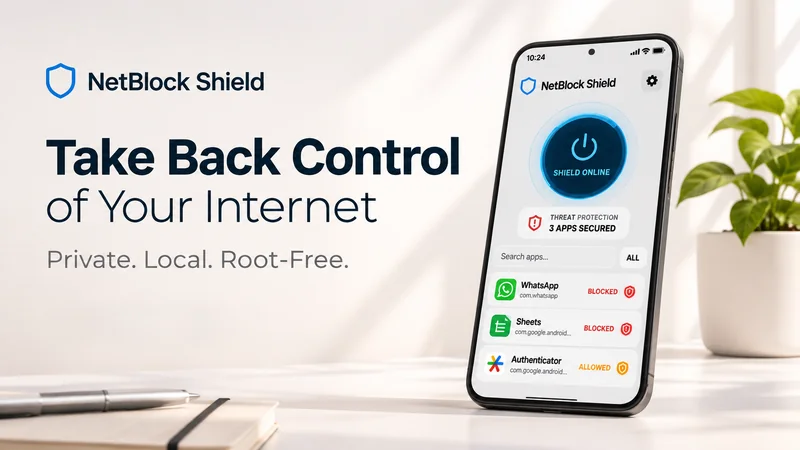
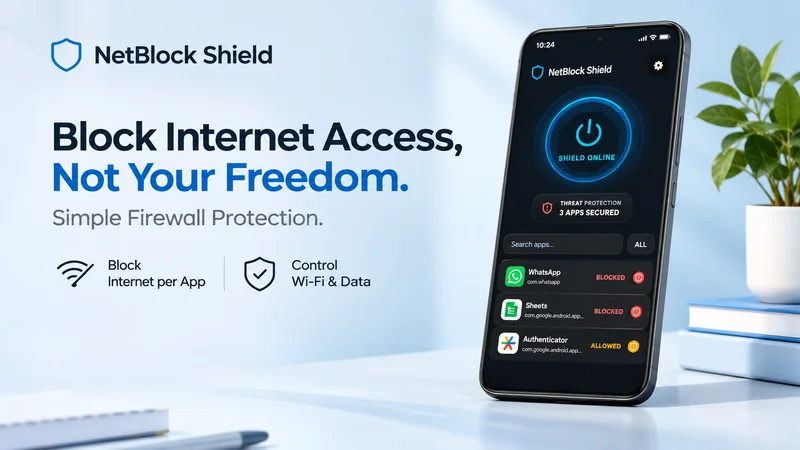
NetBlock Shield is an Android app network blocker by NetGram Labs. It lets users control Wi-Fi and mobile data access for individual apps, reduce unwanted background data usage, and manage network permissions without root access. With on-device VPN-based filtering, it focuses on privacy, connectivity control, and smarter data management.
Technology Stack
React NativeTypescriptExpoAndroidVPNKotlin
Project Overview & Technology
NetBlock Shield — Local App Network Blocker
Project Overview
NetBlock Shield is an Android application developed by NetGram Labs to give users greater control over internet access, background data usage, and network privacy on their devices.
The application works as an on-device network firewall, allowing users to manage internet access for individual applications and system services. By using Android's VpnService API, NetBlock Shield creates a local VPN interface that filters network traffic directly on the device, without requiring root access or routing traffic through an external VPN server.
Users can block Wi-Fi and mobile data access for selected applications, enable or disable firewall protection through a master switch, protect firewall settings, and manage access for both downloaded applications and supported system services.
The application is designed for users who want to reduce unwanted background data consumption, limit distracting applications, control network access, and maintain greater control over their digital privacy.
A central principle behind NetBlock Shield is that network filtering happens locally on the device, rather than sending users' internet traffic through a third-party remote VPN server.
Image-1
Image-2
Image-3
About NetBlock Shield
Modern Android applications may access the internet in the background for synchronization, analytics, advertisements, updates, and other services. Users do not always want every application to have unrestricted network access.
NetBlock Shield addresses this problem by providing a centralized interface for managing application-level internet access.
Instead of disabling the internet connection for the entire phone, users can create network restrictions for individual apps while allowing other applications to remain connected.
The application also focuses on privacy-conscious network management. Its local VPN architecture is intended to filter traffic on the user's device without transmitting personal network data to an external VPN provider.
NetBlock Shield combines application-level controls, local packet filtering, and a straightforward firewall interface in one Android application.
Project Details
Category
Details
Project Name
NetBlock Shield — App Blocker
Project Type
Android Application
Category
App Blocker & Network Firewall
Developed By
NetGram Labs
Platform
Android
Core Technology
Android VpnService
Network Processing
Local, on-device traffic filtering
Root Access
Not required
Network Control
Per-app internet access management
Connectivity Controls
Wi-Fi and mobile data restrictions
Privacy Approach
No external VPN traffic routing
Primary Goal
Internet access control and digital privacy
Project Objectives
The main objective of NetBlock Shield is to give Android users practical control over which applications can access the internet.
The project focuses on the following goals:
Allow users to block internet access for selected applications.
Provide separate controls for Wi-Fi and mobile data restrictions.
Enable or disable firewall protection through a master switch.
Manage network rules for downloaded applications and supported system services.
Reduce unnecessary background data consumption.
Help users limit network-dependent distractions.
Provide local network access options for compatible LAN use cases.
Operate without requiring root access.
Process network filtering locally rather than relying on a remote VPN server.
Main Features
1. Per-App Internet Blocker
NetBlock Shield allows users to manage internet access individually for installed applications.
Instead of disconnecting the entire device, users can select specific apps whose internet access they want to restrict.
This approach is useful when an application does not need continuous internet access or when the user wants to limit its background network activity.
The per-app control system is designed to support:
Individual application network restrictions.
Wi-Fi access control.
Mobile data access control.
Selective blocking while keeping other apps available online.
Centralized management of application network rules.
The aim is to give users more precise control over connectivity than a device-wide Airplane Mode toggle.
2. One-Tap Firewall Protection
The master shield switch provides a central way to enable or disable firewall protection.
Rather than navigating through individual application settings each time, users can control the overall protection state from the main interface.
This feature makes the application easier to operate and provides a straightforward way to manage network filtering when the user's needs change.
3. User Apps and System Services
NetBlock Shield supports visibility and network-rule management for downloaded applications and pre-installed system services.
Users can choose whether to include supported system services when managing network access.
This distinction is important because Android devices contain both applications installed by users and components supplied by the operating system or device manufacturer.
The feature gives users a broader view of network access while allowing them to manage restrictions according to their requirements.
System-level restrictions should be applied carefully because some services may be necessary for notifications, synchronization, device functions, or other expected behavior.
4. Local VPN Architecture
NetBlock Shield uses Android's VpnService API as the foundation of its network-filtering functionality.
The service establishes a virtual network interface on the device, allowing the application to implement local traffic filtering and apply network rules without requiring root access.
Although the application uses VPN technology, it is not intended to operate as a conventional remote VPN service.
Its purpose is to control application internet access locally rather than route the user's internet traffic through an external VPN provider.
How the Local Firewall Works
The user grants the required Android VPN permission.
NetBlock Shield establishes its local VPN interface.
The application applies its configured network restrictions.
Traffic is processed according to the firewall's implemented rules.
Internet access for selected applications is restricted according to those rules.
This architecture provides a way to implement application-level network controls within Android's supported VPN framework.
5. Local Network Passthrough
NetBlock Shield includes a local network passthrough capability designed to help preserve supported LAN communication while blocking unwanted public internet access.
Local network communication can be important for activities such as transferring files between devices, accessing local services, and communicating with compatible smart-home devices.
The feature is intended to support use cases involving devices on the same local network while maintaining internet restrictions.
Actual connectivity depends on Android routing behavior, the firewall's implementation, and the requirements of the connected device or application.
6. No Root Required
NetBlock Shield is designed to operate without root access.
Rooting an Android device changes its security model and may introduce additional risks or compatibility concerns. By using Android's supported VpnService mechanism, the application can implement its intended network-filtering functionality without requiring users to root their phones.
This makes the app accessible to users who want more control over application connectivity while keeping their devices on a standard Android configuration.
8. Background Data Control
Some applications may continue using the internet for background operations even when users are not actively interacting with them.
NetBlock Shield helps users restrict network access for selected applications to reduce unwanted background connectivity.
Preventing selected apps from accessing online services.
Limiting background network activity while studying or working.
Reducing avoidable mobile data consumption.
Controlling connectivity for applications that do not need constant internet access.
The actual amount of data saved depends on the applications selected, their network behavior, and the rules applied.
9. Advertising and Distraction Control
NetBlock Shield can help restrict internet-dependent advertisements and network activity in supported applications by blocking their connectivity.
For example, users may choose to block network access for an offline game to reduce its ability to load online advertisements.
Users can also restrict selected social media applications or games during work and study sessions while leaving essential applications connected.
However, this is a network-level control rather than a universal advertisement-removal system. Ads or features that do not require a network connection may remain available, and blocking internet access can affect an application's normal functionality.
Privacy and Security Approach
Privacy is one of the defining principles of NetBlock Shield.
The application uses a local network-filtering architecture in which the VPN interface is intended to operate on the device rather than forwarding user traffic through an external VPN provider.
Local Processing
NetBlock Shield's network-filtering approach is designed to process traffic locally.
The application does not use an external remote VPN server as the destination for users' general internet traffic.
No Personal Network Data Transmission
According to the project's stated privacy design, NetBlock Shield does not collect, store, or transmit users' personal network data.
This is an important distinction from remote VPN services that route traffic through provider-operated infrastructure.
User-Controlled Network Rules
Users can choose which applications should have restricted internet access and manage their firewall configuration through the application.
Privacy Without Root Access
The application is designed to use Android's supported VPN framework rather than requiring elevated root privileges.
Together, these design choices support the goal of giving users more control over network access while keeping the filtering process local.
Android VPN Service and Google Play Policy Compliance
NetBlock Shield uses Android's VpnService API as a core component of its functionality.
The service is required to establish the local virtual network interface through which application-level network filtering can be implemented.
The intended purpose of the service is to restrict network traffic according to the user's firewall rules. It is not intended to create a remote VPN connection or route user traffic through a third-party VPN server.
The application design emphasizes:
Using VpnService for the stated network-filtering functionality.
Applying restrictions locally on the device.
Avoiding external VPN servers for general traffic routing.
Giving users control over application network rules.
Maintaining transparency about the purpose of the VPN permission.
Avoiding the collection or transmission of personal network data, as specified by the product's privacy design.
Google Play approval depends on the actual implementation and compliance with the applicable policies, declarations, disclosures, and consent requirements. Describing the intended architecture does not by itself establish Play Store policy approval.
User Interface and User Experience
NetBlock Shield is designed around a straightforward firewall-management experience.
Network controls can be difficult to understand when presented through technical settings alone. The application's interface aims to make common actions accessible without requiring users to understand every detail of Android networking.
Interface Goals
Simple controls: Make firewall protection easy to enable or disable.
Per-app management: Present individual applications as the primary unit of network control.
Clear rule management: Help users understand which applications have restrictions.
Practical organization: Separate application controls from broader firewall settings.
Privacy-focused presentation: Communicate the purpose of local network filtering.
The interface is intended to make advanced connectivity controls more approachable for everyday Android users.
Development Approach
NetBlock Shield combines Android's VPN framework with application-level network-management features.
The product's implementation is centered on several key areas:
VPN service integration: Using Android VpnService to establish a local virtual network interface.
Traffic filtering: Applying network restrictions according to configured application rules.
Application management: Providing controls for user-installed applications and supported system services.
Connectivity rules: Managing Wi-Fi and mobile data restrictions at the application level.
Firewall controls: Providing a master switch for the overall protection state.
Local network handling: Supporting the intended LAN passthrough use case.
Privacy-oriented processing: Designing network filtering to take place locally on the device.
Usability: Organizing firewall features into an interface suitable for everyday use.
Development Challenges
Implementing Network Filtering Without Root
Android places restrictions on how applications access and manage network traffic.
NetBlock Shield addresses this through Android's VpnService framework, which provides a supported mechanism for creating a virtual network interface without requiring root access.
The filtering implementation must still handle traffic correctly and respect the behavior and limitations of the Android platform.
Managing Rules for Individual Applications
Per-app internet control requires network rules to correspond to the correct applications and their traffic.
A reliable implementation must account for application identity, rule configuration, and changes in the overall firewall state.
Balancing Internet Blocking and LAN Access
Blocking internet connectivity while preserving selected local network communication requires careful routing and filtering decisions.
Local devices may depend on different protocols or network paths, so LAN passthrough behavior must be implemented with those requirements in mind.
Protecting Configuration Access
Firewall settings determine which applications can access the network. Unauthorized changes can undermine the user's intended configuration.
Maintaining Performance and Battery Efficiency
A local VPN-based firewall operates within the device's networking path, making resource usage an important engineering consideration.
The application aims to keep network filtering lightweight, with attention to CPU use, memory consumption, and battery impact. Actual efficiency depends on the implementation and the device's workload.
NetGram Labs Contribution
NetGram Labs developed NetBlock Shield as an Android network-control application focused on app-level internet restrictions and local privacy.
The project brings together network filtering, application management, configuration protection, and user-focused connectivity controls.
Its primary product areas include:
Android VpnService integration.
Local, on-device network filtering.
Per-app internet access management.
Wi-Fi and mobile data restrictions.
Master firewall control.
User application and supported system service management.
Local network passthrough functionality.
Background data restriction use cases.
A privacy-focused network architecture.
A lightweight firewall-management experience.
These capabilities position NetBlock Shield as a practical tool for users who want more control over how applications access the internet on their Android devices.
Project Outcome
NetBlock Shield provides an application-level approach to Android internet access management.
Rather than requiring users to disconnect their entire device, it enables them to apply restrictions to selected applications while retaining connectivity for other permitted apps.
Its local VPN architecture is designed to perform traffic filtering on the device without relying on an external VPN server. Additional features, including a master shield control, system app visibility, LAN passthrough, support the broader goal of user-controlled network management.
The application addresses practical needs such as reducing unwanted background connectivity, limiting distractions, managing data consumption, and improving control over application network access.
Project Highlights
Android app blocker and local network firewall.
Built around Android's VpnService API.
Per-app internet access restrictions.
Wi-Fi and mobile data controls.
One-tap master firewall switch.
Support for downloaded applications and configurable system service visibility.
Local network passthrough capability.
No root access required.
Local, on-device network filtering.
Designed without external VPN-server traffic routing.
Focus on background data control and digital privacy.
Developed by NetGram Labs.
Live Project
NetBlock Shield — App Blocker
NetBlock Shield is designed to help Android users manage application internet access, reduce unwanted network activity, and maintain greater control over their device's connectivity.
Developed by NetGram Labs
Building practical Android applications and privacy-focused digital solutions.
Want a project built like this?
Our engineering team builds high-velocity websites, web apps, AI automations, and custom content systems. Let's talk about your project goals.